A publishing workflow shaped by platform constraints.
Planning and publishing across formats sounds simple until each format has different rules. I designed the core scheduler experience for a bootstrapped startup building tools for creators.
One workflow, several publishing realities.
The product combines scheduling with creator workflows such as automation and digital products. My work began with competitor research into tools including Buffer, Later, and Sked Social, then moved into planning and creation flows.
Meta's Graph API permissions, rate limits, and format-specific capabilities shaped what could be automated. I researched those constraints and worked with the team on feasible paths through them. The resulting design needed to make post status and next actions understandable across formats.
Three views of the same publishing system.
These Figma screens show the editor, a status-first list, and a time-first calendar. The observations below describe what is visible in the designs; the final interaction details and outcomes are still being documented.
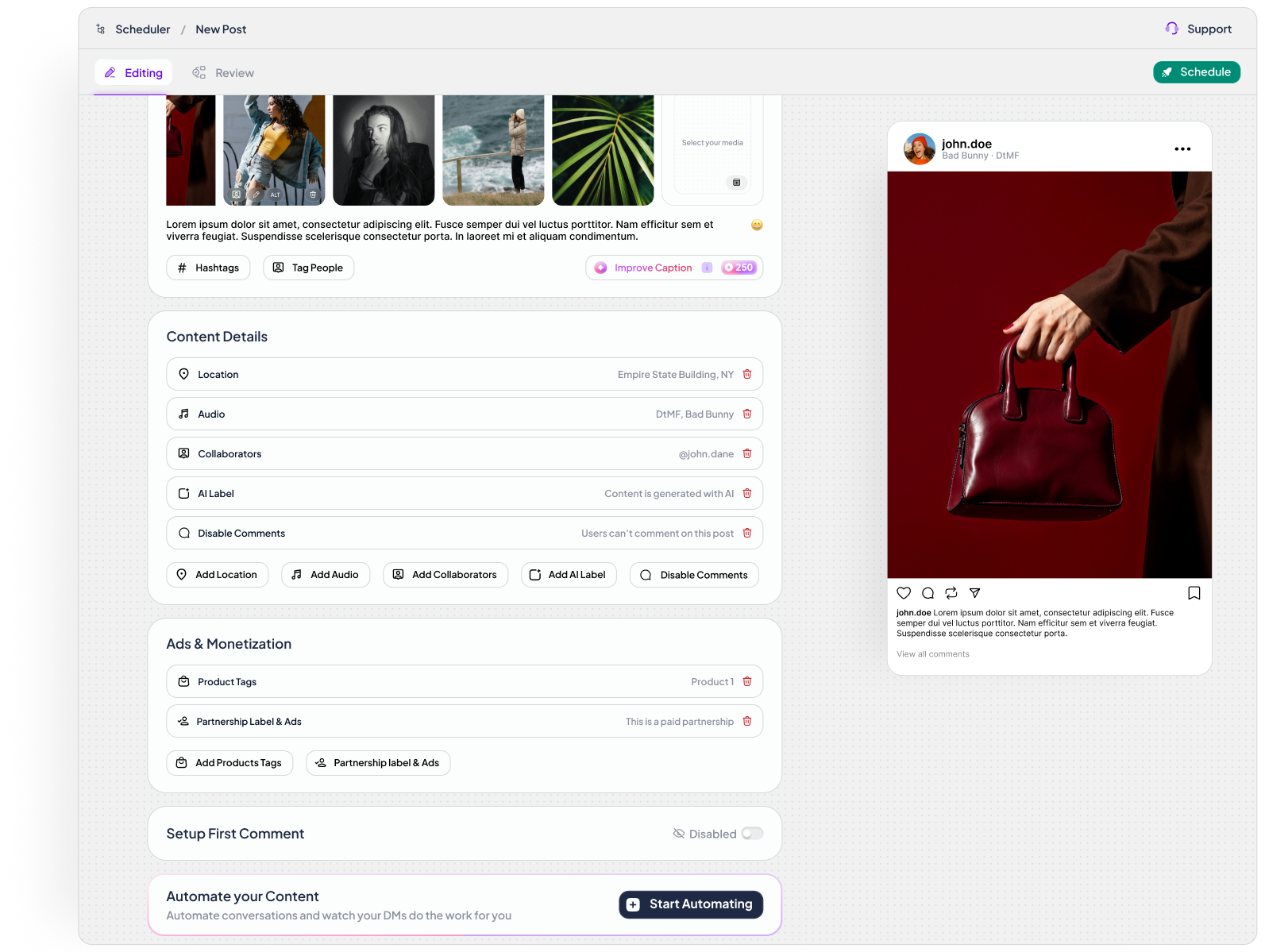
Post editor
Media, caption, content details, monetization options, and a post preview appear in one workspace. This lets the creator inspect the eventual post while filling out supporting fields.
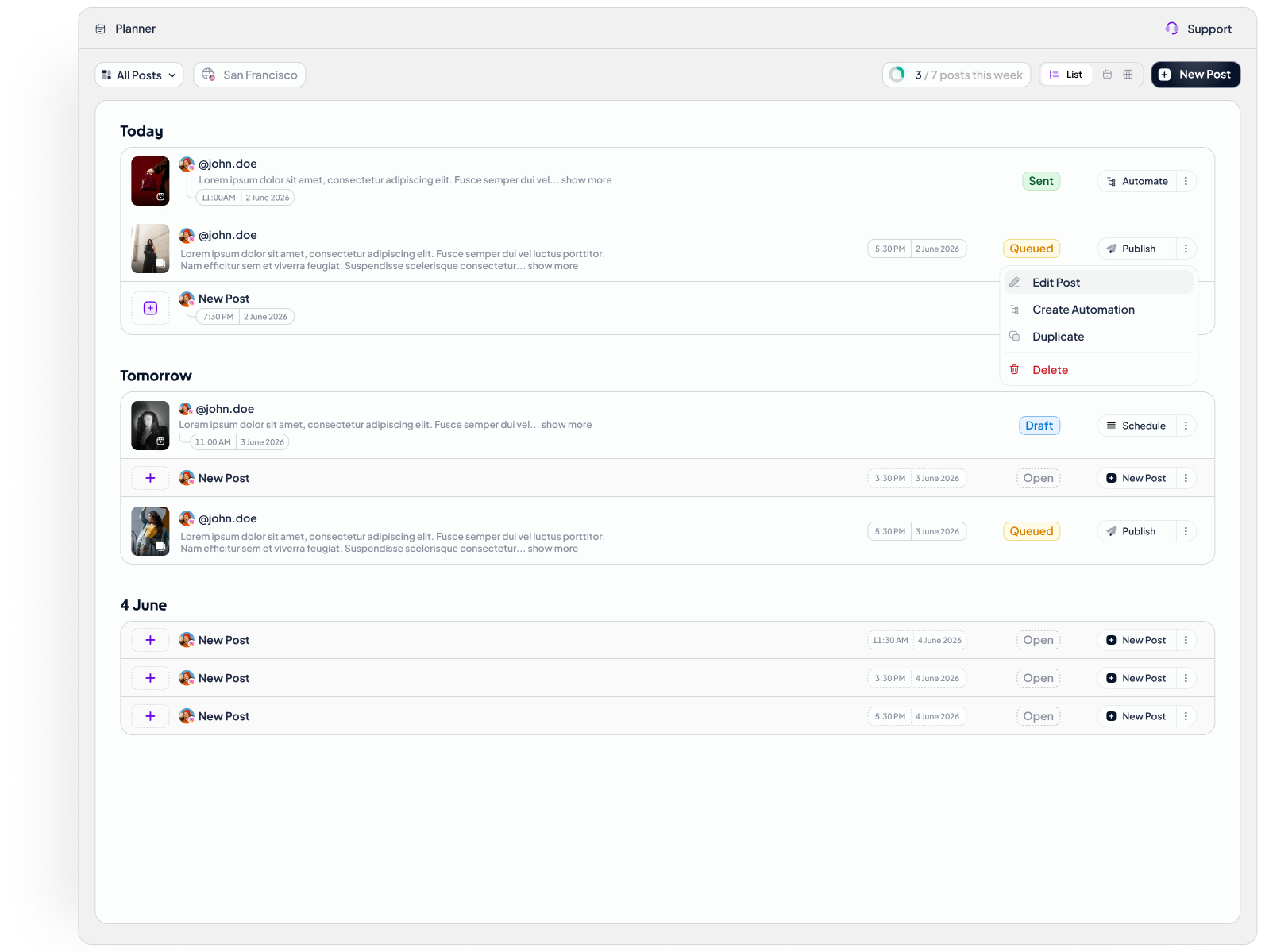
List planner
Posts are grouped by day with visible states such as sent, queued, draft, and open. The row pairs timing and status with available actions so a creator can scan what needs attention.
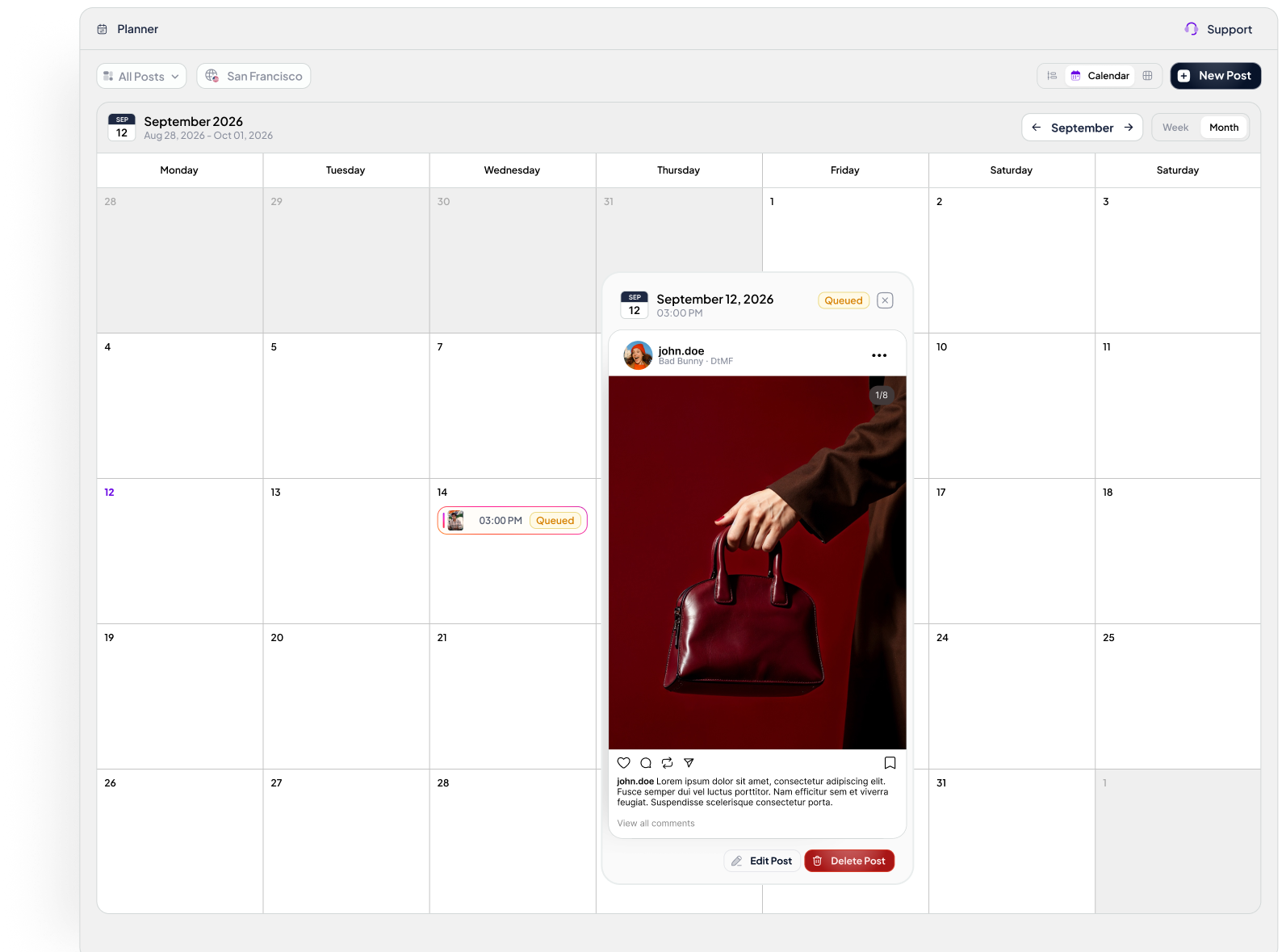
Calendar planner
The monthly view shows where content sits in the schedule. A post preview keeps the content and its edit actions close to the date being inspected.
The connective tissue matters.
A post should communicate whether it is open, drafted, queued, or sent before the user has to open it.
The same item needs to make sense in an editor, a list, and a calendar without changing its underlying identity.
Creation and publishing controls need to reflect what the connected platform can actually support.
These are design principles visible in the work, not measured findings. The screens are Figma explorations and include placeholder data. This product is approaching launch, so I am not claiming adoption or conversion results.
What the work supports—and what to test.
Competitor research helped frame familiar planning patterns; API research established feasibility limits. The screenshots show a proposed solution, but they do not demonstrate that creators can complete the task faster or with fewer publishing errors.
Showing status and next action together in list and calendar views will help creators identify posts that need attention.
Give creators a mixed schedule of drafts, queued posts, and posts requiring manual action. Observe where they hesitate and ask what they expect each action to do.
Measure task completion, misclicks, time to find an at-risk post, and publishing failures after launch; compare against a baseline before claiming impact.
This is a proposed validation plan. I have not presented hypothetical tests as completed research or attributed post-launch results to these screens.